Description:
ICS Launcher for Android 2.2+Simple, powerful, fast and highly customizable home replacement, based on Android 4.0.4 ICS Launcher.
Not like Apex Launcher or Nova Launcher, Holo Launcher can run on Froyo, Gingerbread, ICS and Jelly Bean.
Basic Features:
- Full ICS Style: ICS Icons, Folders, Outlines, Drawer Tabs, etc.
- Custom Desktop Pages/Grid: Up to 9 desktop pages and 10 x 10 grid.
- Custom Drawer Portrait/landscape Grid
- Scrollable Dock: Up to 7 icons per page and up to 3 pages.
- Infinite Scrolling
- Gestures: Swipe up/down on desktop to launch apps quickly.
- Customizable shortcut/folder icons
- Customizable icon label color
- Apply icon packs, support ADW icon pack and Launcherpro icon pack.
- Desktop Previews: Pinch to access desktop previews.
- Backup and Restore: Backup and restore your settings and shortcuts.
- Other Customization Options: Keep in memory, home key action, hide apps in drawer, hide labels, etc.
Plus Features (Need Holo Launcher Plus):
* Unlimited configurable drawer tabs
* Unread count notifications for call, sms and gmail
* Customizable notification badge color
* More desktop gestures: Pinch in/out, Two Finger Swipe and Double-tap
* Dock icon Swipe up/down gestures
* Support Go Launcher icon pack
* More transition effects
* Widgets overlapping
* 1x1 widgets in dock
* Other enhancement and customization options
Not like Apex Launcher or Nova Launcher, Holo Launcher can run on Froyo, Gingerbread, ICS and Jelly Bean.
Basic Features:
- Full ICS Style: ICS Icons, Folders, Outlines, Drawer Tabs, etc.
- Custom Desktop Pages/Grid: Up to 9 desktop pages and 10 x 10 grid.
- Custom Drawer Portrait/landscape Grid
- Scrollable Dock: Up to 7 icons per page and up to 3 pages.
- Infinite Scrolling
- Gestures: Swipe up/down on desktop to launch apps quickly.
- Customizable shortcut/folder icons
- Customizable icon label color
- Apply icon packs, support ADW icon pack and Launcherpro icon pack.
- Desktop Previews: Pinch to access desktop previews.
- Backup and Restore: Backup and restore your settings and shortcuts.
- Other Customization Options: Keep in memory, home key action, hide apps in drawer, hide labels, etc.
Plus Features (Need Holo Launcher Plus):
* Unlimited configurable drawer tabs
* Unread count notifications for call, sms and gmail
* Customizable notification badge color
* More desktop gestures: Pinch in/out, Two Finger Swipe and Double-tap
* Dock icon Swipe up/down gestures
* Support Go Launcher icon pack
* More transition effects
* Widgets overlapping
* 1x1 widgets in dock
* Other enhancement and customization options
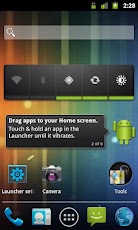
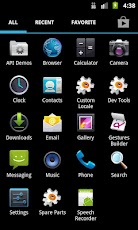
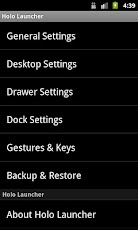
Download from Google Play: Click here.
or
Download apk: Click here.

My new project is http://apkfreebies.com
Feel free to check it out and recommend it to your non Galaxy Y Android friends. ;)
.jpg)
.jpg)
What new:
- Stable and Faster (with V1)
- Fix (all) bugs. (Wifi faster connect...)
- etc... (like v1)
- Special: can play Flash Player.
How to Install?
Installation Instructions:
- Download rom and put on directly sdcard
- Boot in Stock Recovery(Vol Up + Home + Power button)
- Select "Wipe data/factory reset" - Yes
- Select "Wipe cache partition" - Yes
- Select "Apply update from sdcard"
- Install "ThunderROM.zip" rom
- Reboot ur phone.
- Enjoy!
Download
Developer: shocklads(xda)
This is the official Sony Xperia Arc home launcher ported from some XDA developers to work for all android devices.
Link where you can download the launcher and Xperia Arc's widgets, as well as get information about these:
http://forum.xda-developers.com/showthread.php?t=1325108
The downloaded files will have a .zip extension so you have to extract (unzip) them and then install the QVGA version of the launcher for the Galaxy Y.
If you have any questions, please leave a comment below.
Link where you can download the launcher and Xperia Arc's widgets, as well as get information about these:
http://forum.xda-developers.com/showthread.php?t=1325108
The downloaded files will have a .zip extension so you have to extract (unzip) them and then install the QVGA version of the launcher for the Galaxy Y.
If you have any questions, please leave a comment below.
At this video, I show you how the launcher looks on a Samsung Galaxy Y GT-S5360.

Remember to like our Facebook page if you are a fan of the blog.

Also be sure to check out our new forum (born August 31st) http://forum.galaxyyarchive.info
Thanks.
-GYA Admin
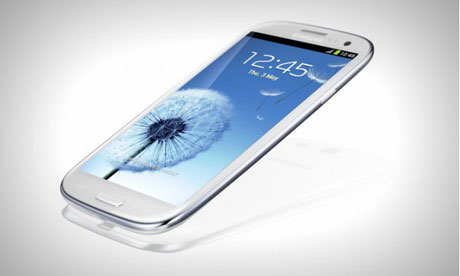
1.TouchWiz UX launcher of galaxy s3: this is actually a modded version of holo launcher. but u can't believe that it is a mod of holo launcher. it looks same as touchwiz UX and also added some animation of touchWiz
UX:thumbup:. here is some screen shot from my galaxy y:
just install it like a simple launcher and enjoy.
note: after install this launcher,it may ask u to update,but don't update:what:,if u update it it will be gone so,be careful.
2. accuweather clock of galaxy s3: here is the great widget of galaxy s3. this is the original accuweather widget of galaxy s3.
just download it,open zip,then install it and hold on home screen(where u wanna place it) then select widget and chose accuweather clock. Done!!
download from here
Screenshots:


Download Apk: TouchWiz Ui
Download Apk: Locker
And Download: Notifier
Developer: hmahadi98

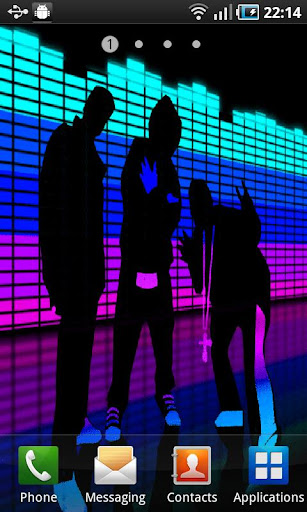
Disco Equalizer is a FREE LIVE WALLPAPER!
TO USE: Home -> Press MENU -> Wallpapers -> Live Wallpapers -> Disco Equalizer Wallpapers
We have put a lot of work into this app to bring you the Best App experience possible.
To attempt to keep this App 100% Free we have included a monetization platform.
This free app is ad supported and may contain ads in the notification tray and/or home screen.
We share data with a service provider, AppLovin Corporation.
The use of your data by AppLovin is subject to AppLovin's Privacy Policy and Terms of Use. Both policies are available at www.applovin.com
Screenshots:

Download from Google Play: Click here
or Download Apk: Click here


